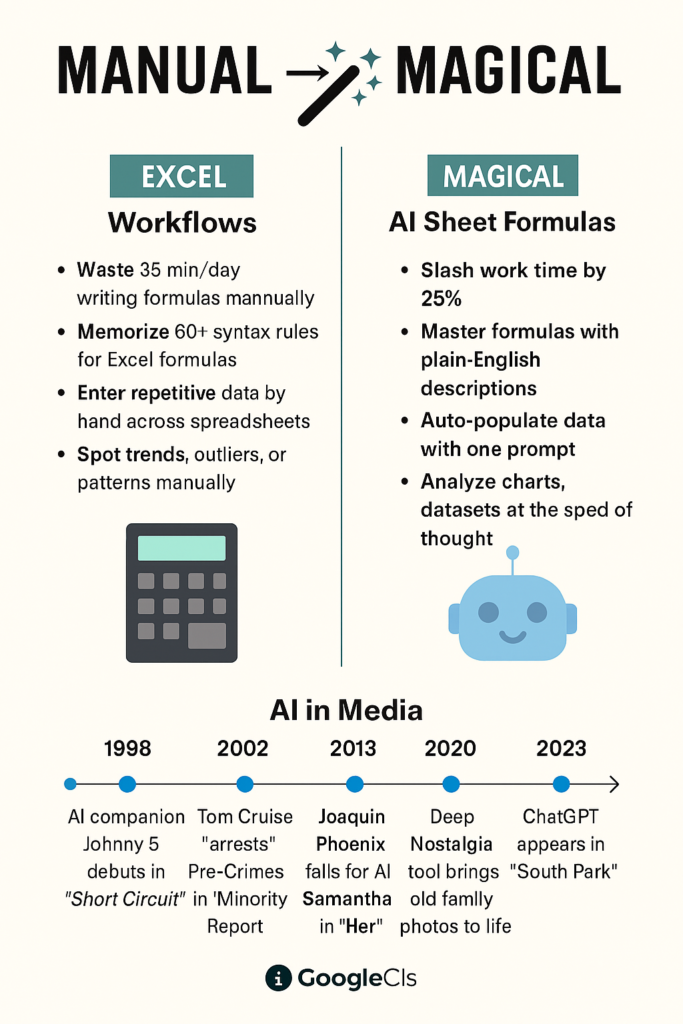
- AI sheets assistant is a chrome extension that is used to generate excel or google sheet formulas, as per the requirement.
- All you have to do is to add the chrome extension to your browser and give a query to the AI tool and it will generate and explain the formula for you.
- Now there is no need to learn and remember the excel formulas as AI sheet assistant will do it for you.
- Many professionals and students find the excel formulas difficult to remember or learning.
- Especially long length excel formulas are difficult to learn and understand.
- The excel formulas that are required to have a different output for every different requirement.
- They can change dynamically for long length complex data.
- AI assistant is handy tool that is used side by side of the excel sheet on the desktop or laptop.
- It is extremely easy to use or handle, if you compare it with other excel generator formula AI tools.
- It is available at affordable costs for upgradation and generate a lot of excel formulas without too many efforts.
- If you consider my opinion, the query you are entering should be a good one and accurate. It should align with your requirement and help give the AI tool a proper clarification.
- It is excellent for users who want general purpose AI assistant to handle automation insights and formulas.
- AI sheets assistant is used to breakdown complex formulas step by step.
- It is used to summarize row/columns into insights. It can group or classify text data automatically. You can access some external data(Google Search) in sheets using AI sheets assistant
- Advanced features like dashboards, pivot tables, OCR, audio/video integrations and unlimited requests are usually part of the paid plan.
- AI drastically reduces the time needed to write complex formulas manually.
- Manual formula writing is prone to syntactical mistakes, logical errors and misreferences.
- Also AI Sheets Assistant ensure that your formula are accurate syntactically and logically, minimizing costly spreadsheet errors.
- This leads to great automation and advanced decision making. Advanced excel formulas can be easily generated. Hence Spreadsheets power can be used to greater advantage.
- When are working with 1000’s of excel rows, manually applying fomulas is inefficient. AI ensures efficiency and accuracy in the same.
Conclusion
- Microsoft Excel is an integral part of any companies processes to manage data.
- Hence excel formula usage is a must for any professional from any industry.
- Learning and using excel or google sheets is an exciting process as of how to handle complex data especially using Artificial Intelligence tools.
- You can master it by generating formulas by using AI tools like AI Sheets Assistant and using them on your data.
How to use AI Sheets Assistant?
From Manual to Magical: AI Sheets Assistant – For Excel & Sheets i.e. the process of using the AI sheets assistant is as follows:-
- Type ‘AI sheets Assistant’ on Google. You will get the following on the screen—>
- Press on the first link on Google—>
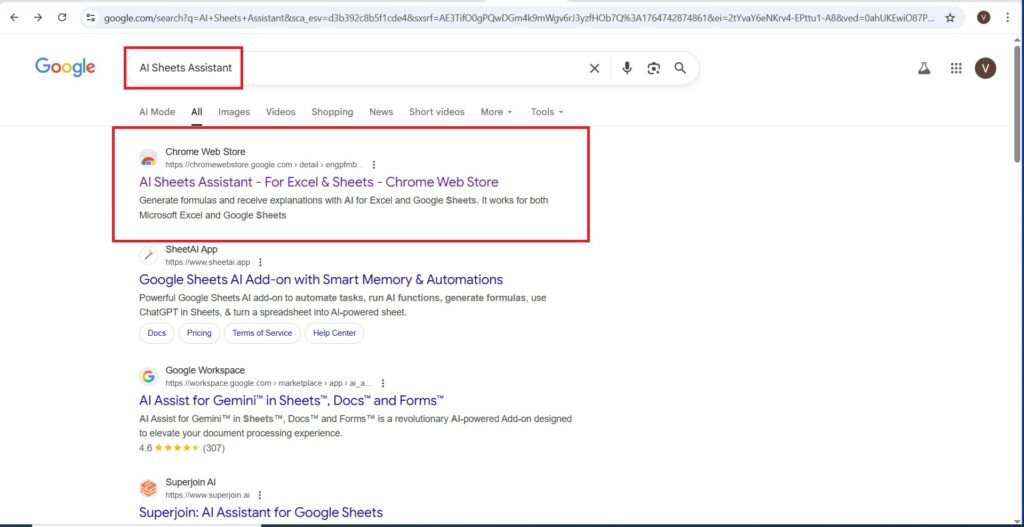
- You will get the following page—>
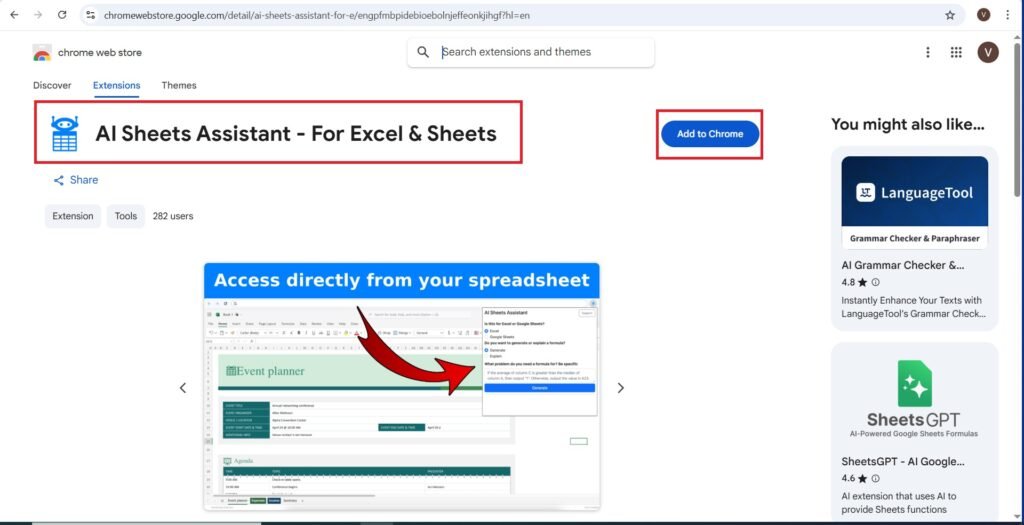
- Add all extensions—>
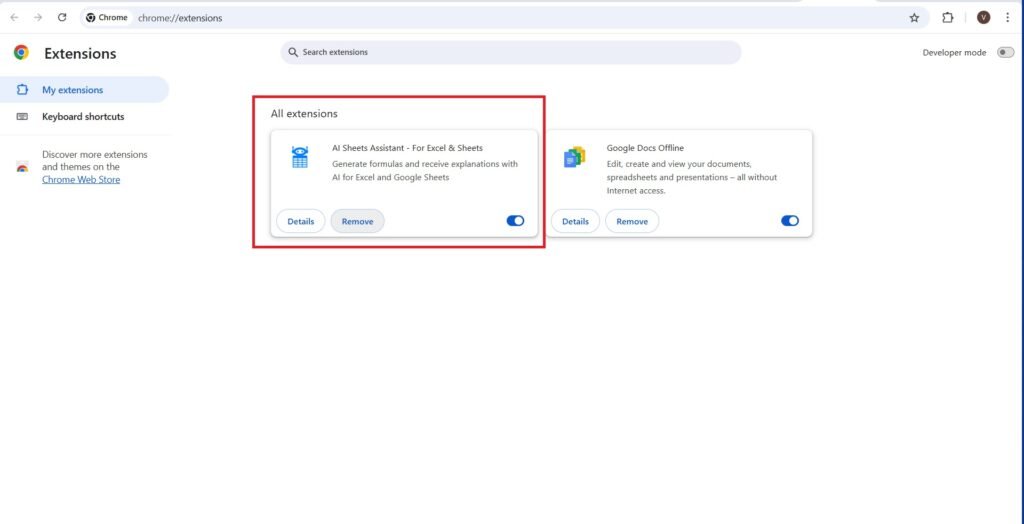
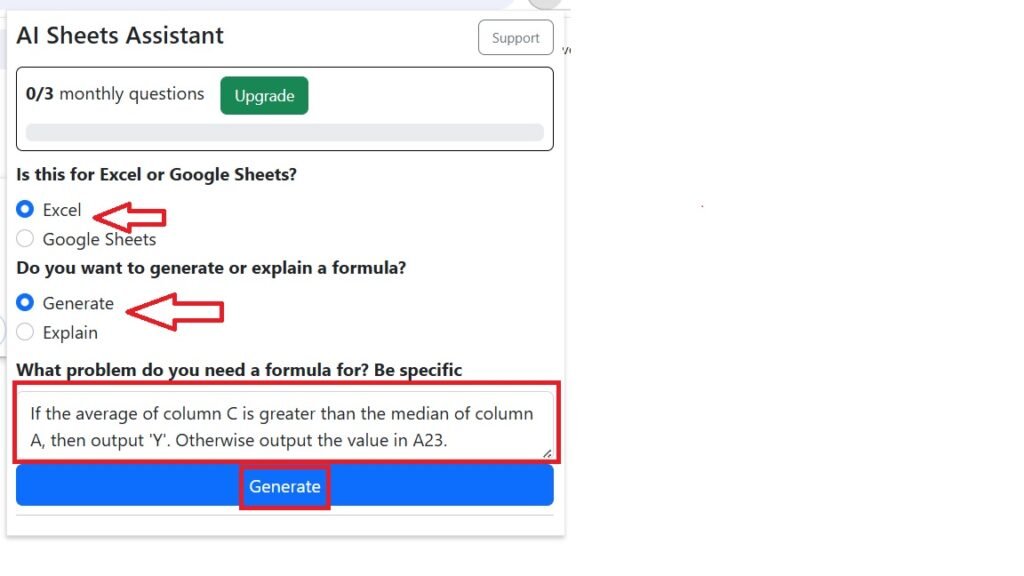
- Select the following options—>
- Answer the following question as—>If the average of column C is greater than the median of column A, then output ‘Y’. Otherwise output the value in A23.
- Press—>Generate
- I have copied the output—>
- The output is as follows:-
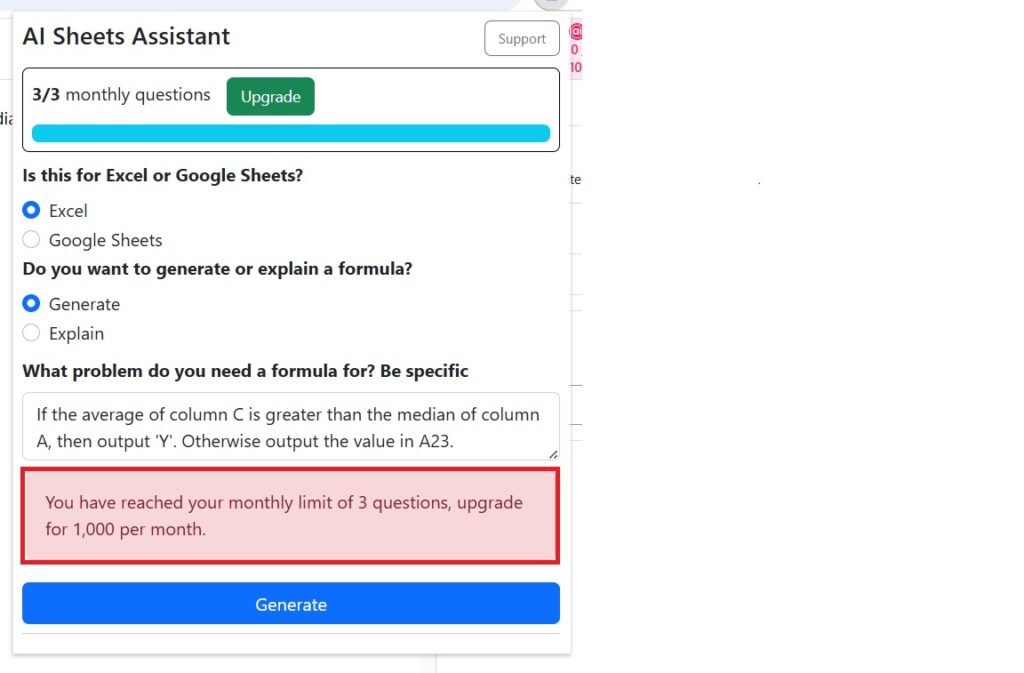
- “null”(The result is not a accurate one. May be the above query is not a great one, you can enter better queries)
- To get more accurate and better results, upgrade to the monthly plan of $4.99/month—>
Timeline for my AI tool, AI Sheets Assistant